Add Page Numbers to PDF Online
Free online tool to quickly add page numbers to PDF documents. Supports custom position, starting number, number format and margin. No registration required, files are deleted immediately after processing. Maximum file size 50 MB, completely free and without watermarks.
✅ PDF Processed Successfully!
How to Add Page Numbers to a PDF
Need to add page numbers to a PDF document? Whether it is a report, contract, academic paper, manual or e-book — this tool lets you finish the job in just a few seconds. No software installation, no registration. Files are processed temporarily in memory and deleted immediately afterwards to protect your privacy.
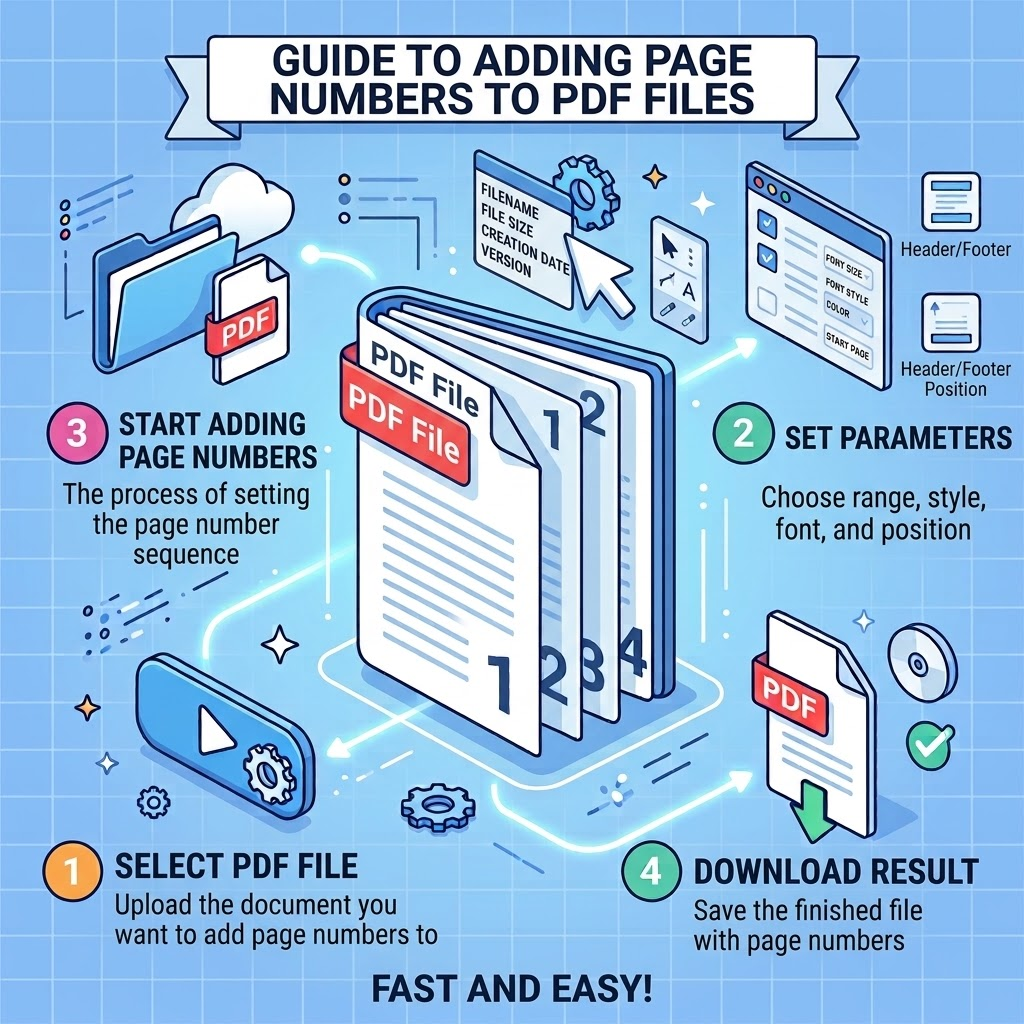
- Click the upload area or drag and drop a PDF file.
- Choose the page number position (top or bottom, left/center/right).
- Set the margin from the edge in millimeters.
- Specify the starting page number.
- Select the number format (plain numbers, leading zeros or “Page X of Y”).
- Click “Add Page Numbers”, wait for processing and download the result.
The entire workflow is intuitive and fast — ideal for both occasional and regular tasks.
⚡ Extremely Fast Processing
Most files are ready within a few seconds, even close to the 50 MB limit.
🔒 Privacy First
Files exist only temporarily in memory and are deleted immediately after processing.
📱 Works on Any Device
Smartphone, tablet and computer — the interface automatically adapts to any screen size.
🎯 Flexible Customization
6 positions, custom starting number, margin and multiple number formats.
🆓 Completely Free
No ads, no watermarks, no usage limits — truly free to use.
📄 Large Files Supported
Up to 50 MB — enough for most everyday and medium-length documents.
🌐 No Registration
Open the page and start immediately — no account required.
🛡️ Original Quality Preserved
Only a page-number layer is added — no re-compression of the original PDF.
Why Use This Tool?
- Everything runs in the browser — no installation needed
- Works on smartphone and computer
- PDF files up to 50 MB without problems
- Files are not permanently stored on the server
- Completely free and no registration required
- Multiple positions and formats available
- No watermarks: the downloaded file is clean
- Instant download after processing
Typical Use Cases
This tool is especially useful for the following everyday tasks:
- Adding page numbers to work reports or project documents
- Adding formal page numbers to contracts or agreements
- Numbering academic papers or theses
- Adding page numbers to manuals or user guides
- Numbering e-books or scanned documents
- Quickly preparing documents that need to be submitted
Whether for personal or light professional use — you can add page numbers quickly without relying on complex desktop software.
Frequently Asked Questions
How do I add page numbers to a PDF online?
Upload your PDF file, choose the page number position (top or bottom, left/center/right), set the margin, starting number and number format, then click “Add Page Numbers”. After processing you can download the numbered PDF. No registration is required. The whole process usually takes only a few seconds.
What is the maximum file size supported?
The maximum file size is 50 MB. Most everyday documents and medium-length reports can be processed without any problems.
Are my PDF files stored on the server?
No. Files are processed temporarily in memory and deleted immediately after processing. We do not store your files permanently.
Do I need to register or pay?
No. The tool is completely free, has no watermarks, no ads and no usage limits. Just open the page and start.
Does the tool work on a smartphone?
Yes. The tool is fully optimized for smartphones, tablets and computers. The interface automatically adapts to any screen size.
Does the finished PDF contain a watermark?
No. The downloaded file is clean and free of watermarks — ready for professional or personal use.
Can I customize the position of the page numbers?
Yes. There are 6 positions available: bottom center, bottom right, bottom left, top center, top right and top left.
Which number formats are supported?
Supported formats include plain numbers (1, 2, 3...), leading-zero format (01, 02, 03...) and the full “Page X of Y” format.
How fast is the processing?
Most files are processed within a few seconds, depending on file size and internet speed. Files under 50 MB are usually finished very quickly.
What should I do if the upload fails?
Make sure the file is a valid PDF and does not exceed 50 MB. Try re-saving the file or refreshing the page. A stable internet connection increases the chance of success.
Can I set the starting page number?
Yes. You can freely choose the starting number, for example begin from page 1, page 5 or any other number.
Can the margin be adjusted?
Yes. The margin is specified in millimeters (default 15 mm) and can be set anywhere between 5 mm and 100 mm.
What tasks is this tool best suited for?
Ideal for reports, contracts, academic papers, manuals, e-books or any PDF document that needs page numbers — especially for users who want a fast solution without installing software.
Does the quality of the PDF decrease?
No. The tool only overlays a page-number layer on the existing pages and does not recompress or reduce the original quality.
Which browsers are supported?
The tool works in all modern browsers, including Chrome, Firefox, Safari and Edge. We recommend using the latest version for the best experience.
Can I further edit the finished PDF?
Yes. The downloaded PDF can be opened in any PDF reader or editor for additional annotations, signatures or other modifications.
Why use an online tool instead of desktop software?
Online tools require no installation, work on any device, delete files after processing for better privacy and are completely free. Perfect for quick and occasional tasks.
Is the service secure?
Yes. Files exist only temporarily in memory and are deleted immediately after processing. They are not stored permanently and are not shared with third parties. Connections are protected.
Are scanned PDFs supported?
Yes. As long as the file is a valid PDF, both text-based and scanned documents can receive page numbers.
How can I get a more professional result?
Choose a suitable position and sufficient margin so the page numbers do not overlap the text. For formal documents we recommend the “Page X of Y” format and a margin of 10–20 mm.
Practical Tips
Before uploading, make sure the file is a valid PDF. When choosing the position, leave enough margin so the page numbers do not collide with the text. For formal documents the “Page X of Y” format looks more professional. After downloading you can open the file in any PDF program for further editing or printing.
Adding page numbers is a basic step toward professional-looking documents. Clear page numbers improve readability and formality — whether it is an internal report or a document submitted externally. Online tools make this process simple and fast without the need to learn complex software.
Why have online page-numbering tools become the new standard? In the past you had to open specialized desktop programs. Today a few clicks are enough. Faster, no installation, works across devices and focused on privacy. Files are deleted immediately after processing — giving users peace of mind.
For the best results keep these points in mind: choose a sufficient margin (recommended 10–20 mm), prefer the full “Page X of Y” format for formal documents, and set the starting number correctly. These small details make the final document look significantly more professional.
Online tools are only the brush — true professionalism comes from your attention to detail. You can always re-upload and adjust until the result is perfect.
add page numbers to PDF • PDF page numbering online • free PDF page numbers • PDF page number generator • online page numbering • add numbers to PDF
About This Service
This online PDF page numbering tool was developed and is maintained by a Full-Stack Python Developer and specialist in image processing and computer vision. The goal is to provide a simple, fast and privacy-oriented way to work with documents — without software installation and without creating an account.
We take user privacy very seriously: files are processed only temporarily and deleted immediately. The service is continuously improved based on user feedback. If you have suggestions or encounter a problem, feel free to contact us via the email address in the author block.